FreeRadio 1.6
by January 17, 2008 @ 8:44 pm
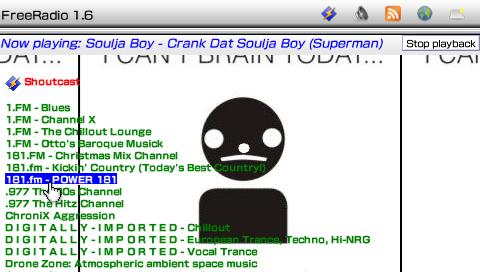
FreePlay has just released yet another update to his server-free portal for Sony’s official Internet Radio application. The biggest update (and only) in this release is the support for user-created themes. However, it is not “fully” customizable as the podcast and browser pages are not supported (for skinning). Installation for FreeRadio is extremely simple, just follow what the folder tells you to when you download/extract the file. Here’s some more details on the theme customization that came with this release –
* fixed the readme… this ain’t 2007 anymore
* Added support for user themes, based on cascading stylesheets. To make a theme, create a file called ‘user_theme.css’ in the Radio\Personalize folder and edit it with any text editor. It’s a standard CSS stylesheet, so if you don’t know about CSS, it’s time to learn There are a few special pieces of the page which can be themed individually:
* ‘bg’: The background image.
* ‘meta’: The bar at the top of the screen that displays the current stream info.
* ‘stopbutton’: The ‘stop playback’ button.
* To theme these pieces, make sure their name is preceded by a ‘#’ in the user_theme.css file; this is how CSS knows it’s a page element that has a specific ID. If you’re confused, check out the example user_theme.css file; it’s a copy of default the ‘bg’, ‘meta’, and ‘stopbutton’ theme settings
via FreePlay
Follow this author on Twitter.