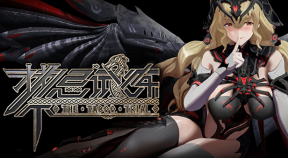
禁忌试炼
- 7,366 Achievements Earned
- 369 Players Tracked
- 41 Total Achievements
- 6,276 Obtainable EXP
- 19 100% Club
Steam Price History
Store Description
Virus detection issues for anti-virus software
1. The folder '# ModBuilder-vx.x.x' is the Unity project used when making the MOD. Some anti-virus software may indicate that it contains viruses.
2. The files in the above folder are deleted and will not affect the normal operation of the game. You can also add it to the whitelist of anti-virus software.
If you encounter crashes or game exits when running the game, please try the following solutions:
1. Go to the game's root directory (right-click the game in your library, go to Properties, and select Installed Files). Find TheTabooTrial.exe, right-click it, choose Properties, then run it in compatibility mode, and disable fullscreen optimizations.
2. Try to install the game on a solid-state drive (SSD) to improve loading speed. For laptops, make sure you are using the dedicated graphics card instead of integrated graphics.
3. Check the integrity of the game files.
4. Increase virtual memory, preferably above 10GB.
5. Try updating your graphics card driver.
6. If none of the above works, you can use the beta version. In your Steam library, find "The Taboo Trial," right-click -> Properties -> Beta -> enter the code "ForTheCrashPlayer." This will grant access to a beta version. Rest assured, the beta version receives synchronized updates with the official version.
Game Introduction:
In this game, you will face the "Giant Clan" no longer the large humanoid creatures in traditional games, but various mechanical creations that require you to demonstrate stronger combat skills and courage.
On your side are all kinds of Valkyrie. Establish good relations with them and warm up feelings. They will be a strong backing for you on your adventure.
Regarding taboo trials:
A skillful Roguelike action game, it allows you to explore the world of Norse mythology and find the secrets behind the gods at dusk.
Long swords, giant axes, and spears use the weapons of the gods to confront the mechanized giant clan.
The blessing from the gods enables you to use various spells. In addition, the configuration of Berserker form and runes that can be customized and modified will determine how you end the enemy.
The bosses in many myths will bring you an unbeatable sense of oppression.
You can enhance your relationship with Valkyrie, get the blessing of Valkyrie, and take risks in the form of Valkyrie.